Quattr Leads AEO, SEO, and Content Rankings on G2 Spring 2026.
Quattr Leads AEO, SEO, and Content Rankings on G2 Spring 2026.

Many websites try to get every single page indexed by Google, even pages that don’t really matter. Without realizing it, this makes Google waste time crawling unimportant or sensitive pages, while important pages get less attention.
This is where the robots.txt file helps. It lets you guide search engine bots to focus on what truly matters. In this blog, we’ll explain how robots.txt works and how to use it to protect your crawl budget and improve visibility.
7.
8.
9.
10.
Robots.txt is a file often used to instruct search engine robots about which pages should and should not be crawled on a website. It is a simple text file placed on the website's root directory and is accessible by any web crawler.
The primary purpose of the robots.txt file is to prevent web crawlers from indexing certain parts of your website. For example, it can exclude directories or files you don't want search engines to index, such as personal files, admin pages, or crawling a website during development.
According to Google, the robots.txt file helps prevent the indexing of duplicate content, which can harm your search engine rankings. Google advises webmasters to update their robots.txt file regularly to keep up with the changing needs of their websites.
It is important to note that while the robots.txt file can prevent certain pages from being indexed, it does not guarantee that search engines won't find them. It simply provides instructions to web crawlers and does not have the power to block access to pages actively.
1. Enhancing Crawl Budget
Custom robots.txt file tells search engines which pages to skip, so they don't waste time on unimportant areas. This helps Google focus on your most important pages and our crawl budget doesn't get wasted.
2. Preventing Duplicate Content Issues
By disallowing search engine bots from crawling and indexing repetitive or similar content, you prevent duplicate content confusion and maintain the quality and credibility of your website's content.
3. Securing Sensitive Information
The robots.txt file enables you to protect sensitive or private sections of your website by disallowing search engine bots from accessing and indexing them. It is crucial to website security and user privacy, especially for sites with user portals, login areas, or confidential files.
4. Providing a Clear Sitemap Reference
The robots.txt file can also reference your website's XML sitemap, which helps search engine bots discover and follow your sitemap, leading to a more efficient and thorough crawling and indexing process.
5. Directing Crawler Behavior for Multilingual or Multiregional Websites
Specifying language or regional directives, alongside hreflang tags, ensures search engine bots prioritize crawling and indexing the correct versions of your content based on user location or language preferences. It improves geo targeting and relevance in search results, enhancing the overall user experience.
In a robots.txt file, various syntaxes are used to communicate with web crawlers and search engine bots. Here is a list of the most common protocols used in robots.txt files:
1. User-agent: This protocol identifies the specific bot or crawler the rule applies to. For example, "User-agent: Googlebot" would target Google's web crawler. Using an asterisk (*) as the user-agent targets all bots, making a rule universally applicable.
2. Disallow: It tells bots not to crawl or index specific pages or sections of a website. You can prevent search engines from indexing particular content by specifying a URL path after the Disallow directive. For example, "Disallow: /private/" would block crawlers from accessing the "private" folder in a website's directory.
3. Allow: It grants bots permission to crawl or index specific pages or sections of a website, even if they have been disallowed in a previous rule. For example, "Allow: /private/public-page.html" would allow bots to access and index the "public-page.html" file, even if it is located in the restricted "private" folder.
4. SitemapThe sitemap protocol provides the location of a website's XML sitemap, helping search engines find and index pages more efficiently. Including the seo sitemap in the robots.txt file is considered one of the best practices.For example, "Sitemap: https://www.example.com/sitemap.xml" directs crawlers to the website's sitemap file.
5. Crawl-delay: This protocol sets a delay between requests from a specific bot to avoid overloading the server. The delay is specified in seconds, with larger values indicating slower crawling speeds. For example, "Crawl-delay: 10" would request that bots wait ten seconds between successive requests to the website.
6. Noindex: Though not officially supported by all search engines, the Noindex protocol instructs bots not to index specific pages or sections of a website while still allowing them to crawl the content. It can be considered an alternative to the Disallow directive, which prevents crawling and indexing. For example, "Noindex: /private/" would tell search engines not to include the "private" folder in their indexes but would still permit crawlers to access the content.
There’s no straight yes or no answer. It really depends on your website and what you want to achieve. While Google can crawl most sites just fine on its own, a robots.txt file still helps you guide search bots and control what they should or shouldn’t crawl.
Using it the right way lets search engines ignore low-value pages and focus on your most important content, which can improve visibility and SEO. Just be careful, if it’s set up wrong, you might block important pages, so always follow Google’s guidelines when creating or updating it.
Yes, the robots.txt file does influence your SEO score. While the robots.txt file does not directly impact your SEO score, its proper configuration and usage can indirectly influence your website's SEO performance. Let us look at how the robots.txt file can affect your SEO:
A well-crafted robots.txt file can help direct search engine crawlers to your website's most important pages. By telling crawlers which pages to crawl and which to ignore, you can ensure that your website's most valuable pages are indexed first, leading to higher visibility and better search rankings, and helping prevent important content from becoming orphan pages.
Blocking crawlers from accessing pages with duplicate content or content that is not valuable to your website's users allows you to reduce the risk of a duplicate content penalty, which can hurt your website's SEO score.
Robots.txt file can block search engine crawlers from accessing sensitive data, such as private user or confidential business information. Doing so help protect your users' privacy and your business's reputation.
By ensuring unnecessary pages are not being crawled by Googlebots, you can reduce the load on your server, leading to faster load times, better user experience, and improved search rankings.
When a search engine bot visits a website, it looks for the robots.txt file first. This file tells the bot which pages or folders it is allowed to scan and which ones it should avoid. It helps control how search engines explore and index a site. The robots.txt file is useful for managing how bots interact with your site. Common use cases include:
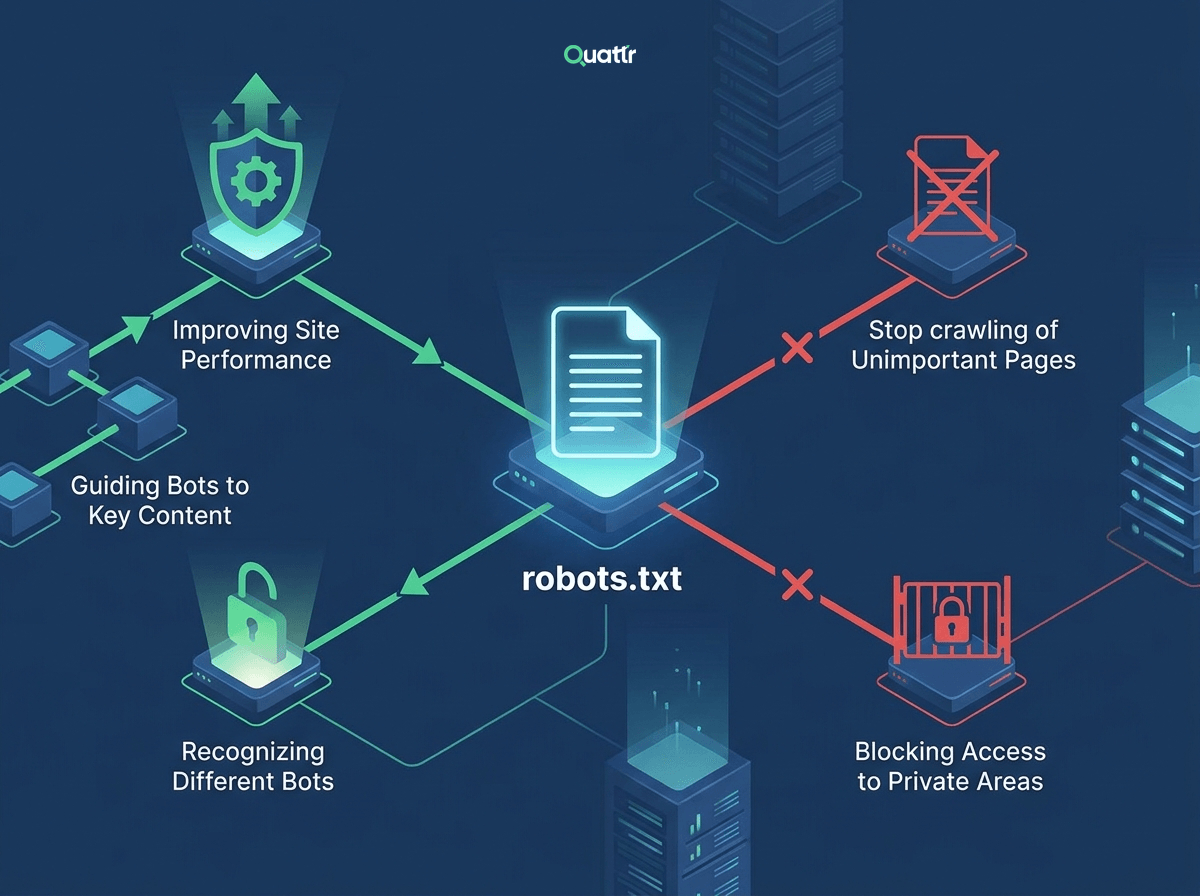
Each crawler has a specific name, called a user agent. Robots.txt rules can be set for individual bots based on these names.
You can block pages that add no SEO value, such as login pages, duplicate URLs, or internal search results.
Restricting unnecessary crawling helps save server resources, especially on large websites with many pages.
Adding a sitemap link in robots.txt helps crawlers find and prioritize important pages.
You can prevent bots from accessing confidential folders or files that should not appear in search engines.
Creating or editing a robots.txt file is a straightforward process that requires a text editor and access to your website's files. Here are the steps to create or edit a robots.txt file:
Before creating a new robots.txt file, you must check if the file already exists. To do this, open a browser window and navigate to "https://www.yourdomain.com/robots.txt." If you see a file similar to the following example, it means you already have a robots.txt file that can be edited:
User-agent: *
Allow: /
If an existing robots.txt file is present, you can easily edit it by following the steps:
1. Connect to your website's root directory using your preferred FTP client.
2. Locate the robots.txt file in the root folder.
3. Download the file to your computer and open it using a text editor.
4. Make the necessary modifications to the directives based on your crawling requirements.
5. Save the changes and upload the modified robots.txt file back to the server.
1. If you don't have an existing robots.txt file, create a new .txt file using a text editor.
2. Add the desired directives, specifying the user agents and their corresponding instructions.
3. Save the file with the name "robots.txt" (without quotes) in all lowercase letters.
Note: The file name is case-sensitive, so ensure it is precise "robots.txt."
4. Upload the newly created robots.txt file to the root directory of your website using FTP or a control panel.
Note: It is recommended to thoroughly test and validate the file's syntax and effectiveness using online tools or search engine-specific testing platforms.
There are several best practices to keep in mind, which can help ensure that search engine crawlers access and index your website's content optimally. Here are the best practices for creating a robots.txt file:
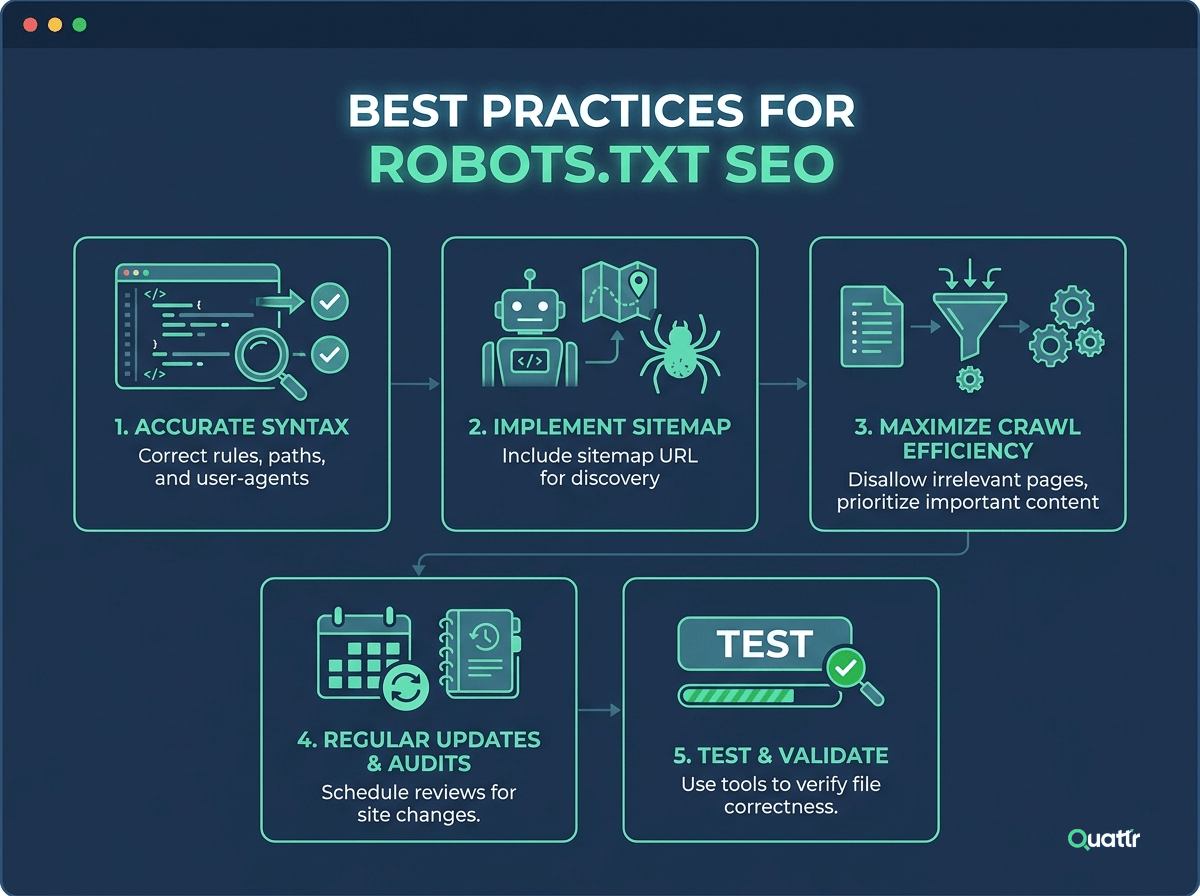
1. Accurate and Efficient Use of Syntax
Using the incorrect syntax can lead to search engine crawlers misunderstanding your website's indexing directives. Ensure to follow the standard format of specifying the User-agent and using Disallow/Allow statements to control specific pages or directories crawling.
2. Proper Implementation of Robots.txt Sitemap
Adding a sitemap to the robots.txt file is an important practice to help search engine crawlers discover and index your website pages more efficiently. Use the Sitemap directive followed by the URL of your XML sitemap to make it easily accessible to crawlers for better SEO performance.
3. Utilizing Robots.txt Best Practices for Crawl Efficiency
Ensuring you only block necessary files and directories is important for maintaining crawl efficiency. Do not block CSS, JavaScript, or image files necessary for rendering and indexing your website. Additionally, avoid blocking resources search engines might use to render or understand your content.
4. Regularly Updating and Auditing Your Robots.txt File
Keeping your robots.txt file up to date is essential for maintaining its effectiveness. Regularly audit your file to ensure that all directives are still needed and that no unnecessary blocks have been left in place. It helps maintain crawl efficiency and can improve your website's overall SEO performance.
5. Testing and Validating Your Robots.txt File
Before finalizing your robots.txt file, testing and validating its functionality is crucial. Use Google Search Console's robots.txt Tester tool to ensure your file is correctly formatted and effectively blocking or allowing the desired pages and directories. It will help prevent any unintended consequences on your website's SEO performance.
In the end, a well-managed robots.txt file can make a real difference in how search engines crawl and understand your website. But maintaining it manually as your site grows can become complex.
This is where Quattr helps. With its AI-powered SEO platform, Quattr provides deeper insights into crawling behavior, identifies indexing issues, and helps you optimize technical SEO elements that influence how search engines interact with your site. By using Quattr, you can make smarter decisions, maintain a healthy crawl structure, and ensure your most important pages get the visibility they deserve.
Robots.txt, meta robots, and x-robots are tools for controlling search engine crawlers and determining which pages should be indexed. However, robots.txt is a file that tells the crawler which pages not to visit, while meta robots and x-robots are used to give more specific instructions for how a page should be crawled and indexed. Meta robots tags are placed in the HTML code of a page, while x-robots headers are sent from the server in the HTTP response.
The frequency of updating or modifying your robots.txt file depends on the changes in your website's structure or content. Reviewing and updating the file whenever you add or remove directories, change URL patterns, or introduce new sections that require search engine crawling instructions is recommended. Regularly testing the robots.txt file ensures optimal control over how search engine crawlers access and index your website.
Yes, you can have multiple robots.txt files for subdomains or subdirectories. Each subdomain or subdirectory can have its robots.txt file in its root directory. It allows you to apply different directives and rules specific to each subdomain or subdirectory, providing granular control over the crawling behavior for different sections of your website.
A robots.txt file is useful when you want to control how search engines crawl readable pages such as HTML, PDFs, or other supported formats. It can help limit crawler activity if your server may struggle with heavy bot traffic, and it is also helpful for blocking low-priority or repetitive pages that do not need to be crawled.
To fix a robots.txt file, identify the blocking rule using a validator or Search Console, update or remove the rule, and allow the page to be crawled.

Quattr is an AI-native Search Visibility Platform founded in Palo Alto, California, built for mid-market and enterprise brands competing in the age of generative search. Recently recognized across G2’s Spring 2026 reports with #1 rankings in AEO Results, Usability, and Relationship, Quattr helps brands win visibility across traditional search and AI-generated answer surfaces.
Quattr’s AI agent, GIGA, evaluates content the way AI systems do, identifying gaps across structure, authority, internal linking, and discoverability to surface the highest-impact fixes. With capabilities like autonomous internal linking, E-E-A-T intelligence, and the new GIGA Landing Page Generator for keyword-matched, AI-search-ready pages, Quattr helps teams move from diagnosis to deployed changes without manual bottlenecks.


Try our growth engine for free with a test drive.
Our AI SEO platform will analyze your website and provide you with insights on the top opportunities for your site across content, experience, and discoverability metrics that are actionable and personalized to your brand.


.svg)
.svg)


